 Bicep HeartSign in ↗
One little heart. One still moment.
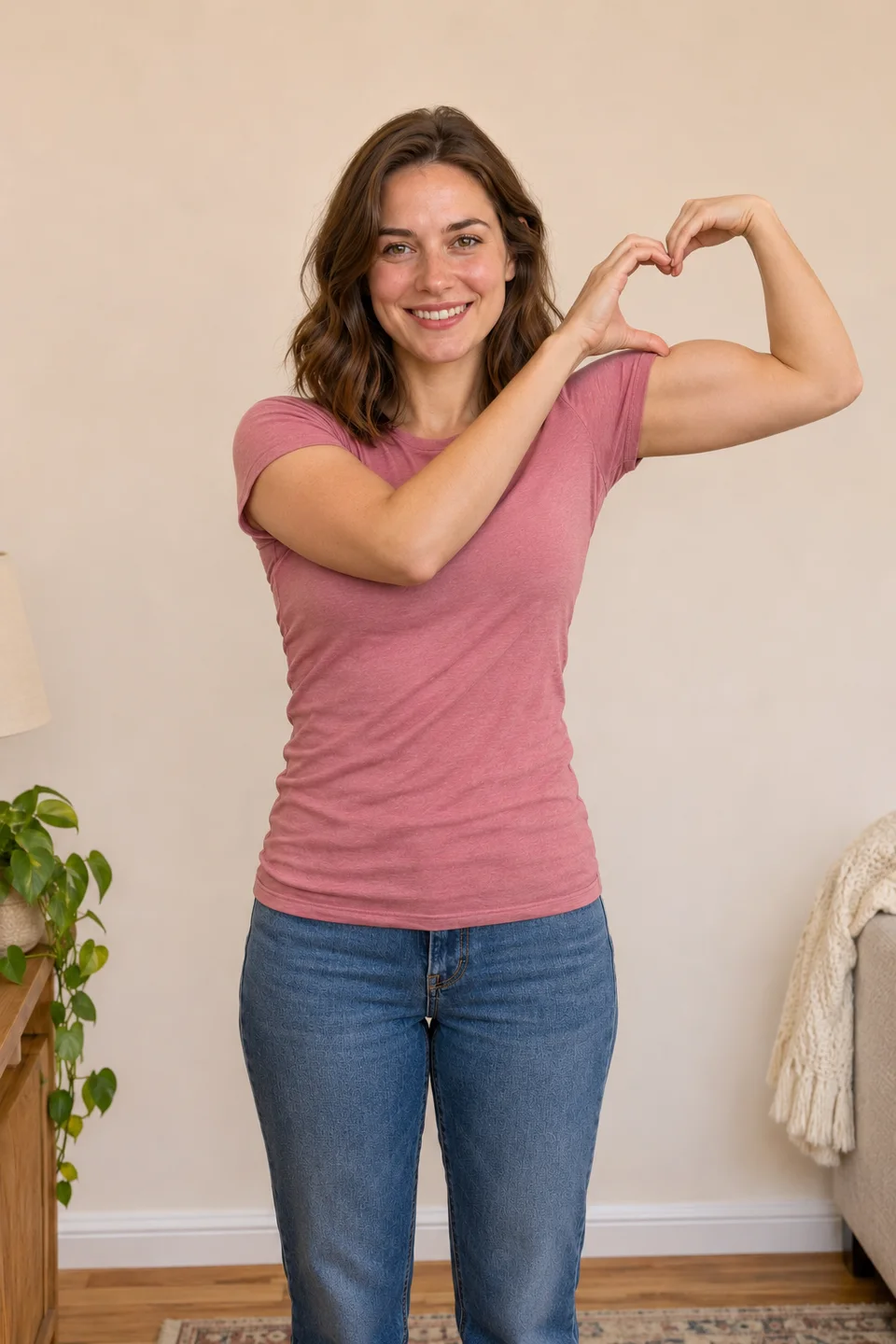
Choose how to make your bicep heart picture
A bicep heart picture is a still image of the flex-and-heart gesture. You may see it called a bicep heart pic or photo. Use a timer for a real photograph, save a frame from your recording, or request an AI still from a portrait. Choose the route before uploading: a still preview does not include an animated video or guarantee its final pose.
Take a bicep heart picture with the timer
Set the phone on a stable surface and frame your upper body. Start the timer, raise one arm and place the curved hand beside the bicep before the shutter fires. Take several photographs so you can choose one with relaxed eyes and clear fingers. Keep both hands away from the face. A bright window facing you is easier to work with than a strong light behind you.
Save a bicep heart picture from a video
Record the complete gesture first. Pause after the hands meet and the small heart becomes readable. Use your device’s available frame-save function if it has one; a screenshot is a simpler fallback with device-dependent quality. Check that player controls and captions are absent. Keep the original recording as well, so you can choose a different frame later.
Keep your bicep heart picture easy to read
The heart should sit close to the flexed upper arm, below the raised wrist. If a bicep heart picture places it near the middle of the chest, the free hand is usually too low or the generated pose needs correction. Look for a small notch at the top and a pointed lower gap. Do not accept an image solely because the face looks convincing.
Understand an AI bicep heart picture preview
Sign in to make your account’s one free AI bicep heart picture from an adult photo you have permission to use. During testing, 10 free pictures are available across the site each day. Inspect the face, fingertip contact and the heart’s position above the upper arm. Download the bicep heart picture within one hour. The video is made separately from your original photo and chosen scene, so its appearance can differ.
Crop your bicep heart picture for sharing
Leave room above the head and around the bent elbow. A tight crop can turn a correct pose into an unreadable fragment. Keep text outside the open heart and preview the image at phone size. Save a clean copy before adding captions or stickers, then make a separate version for the platform where you plan to post.
Get permission for your bicep heart picture
Use your own adult image or obtain the pictured adult’s permission. A bicep heart picture downloaded from somebody’s social feed is not automatically yours to edit or publish. Keep private photos private and check a service’s storage and deletion information before uploading. Our privacy page describes the site’s actual handling; support is the route for a deletion request.
Want the bicep heart picture to move?
A still and a complete video answer different needs. If you already recorded the pose, use that recording. If you want a photo animated, review a complete example for the intended template rather than assuming a pretty final pose guarantees motion quality. The AI guide explains inputs, model limitations, checking the ending and keeping the complete export.